
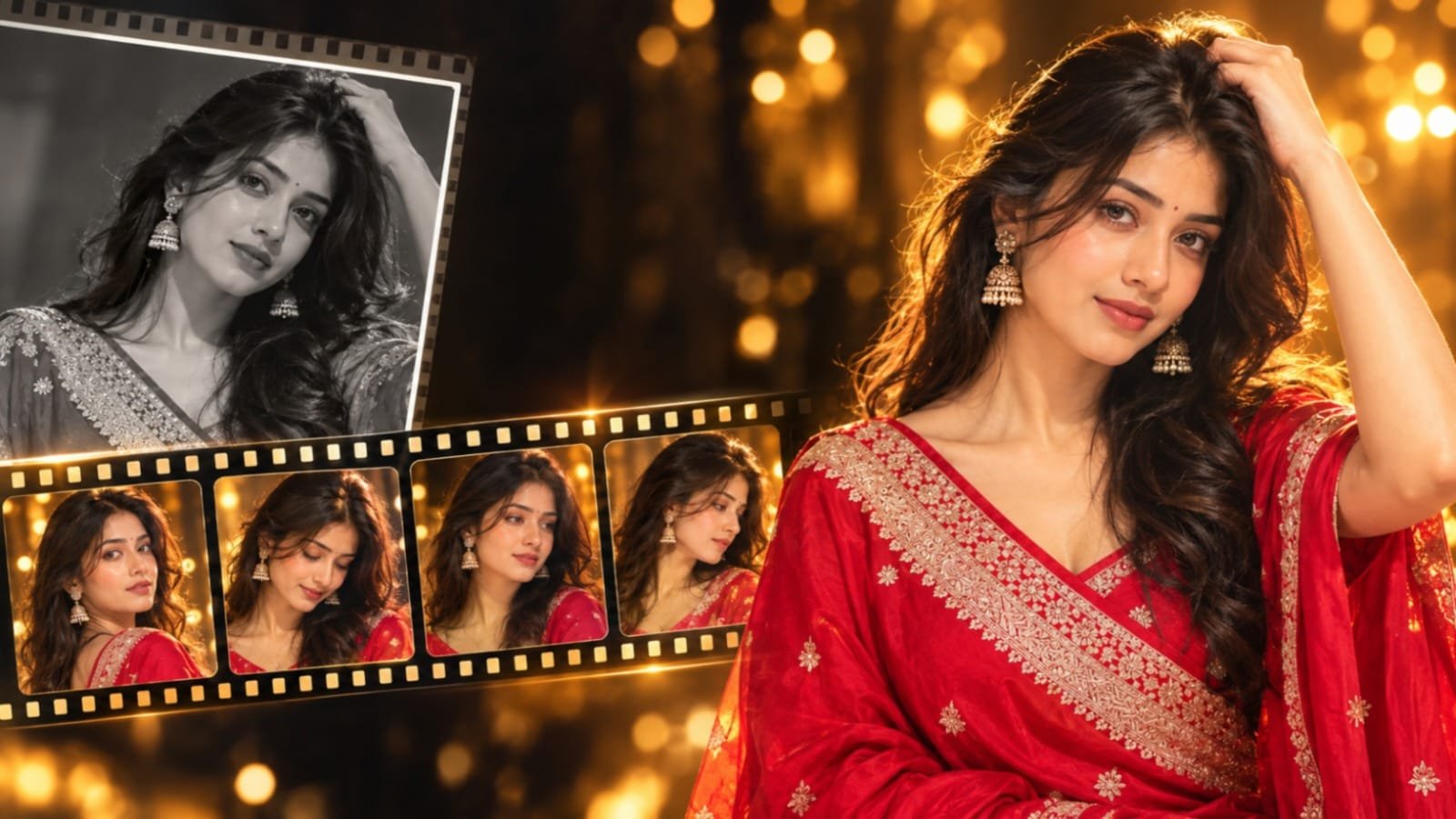

Scroll through Instagram Reels for a few minutes and you will notice something. A simple portrait slowly comes alive. The image begins in black and white, then bursts into warm, golden colour. A woman in a traditional saree looks up, her hair moves gently, and tiny stars glow around her.
This is one of the most popular AI Aesthetic video editing trends right now. Creators are combining modern AI visuals with traditional fashion, cultural beauty and folk music. The result feels emotional, cinematic and highly shareable.
In this guide, Jeinza explains what this trend is, why it is going viral, and how you can create your own version step by step. You will also get a ready-to-copy prompt.
What Is the Viral AI Folk Music Video Trend?
The viral AI folk music video trend transforms an ordinary photo into a short cinematic video. The subject usually wears traditional clothing, such as a saree, along with ethnic jewellery like a necklace, earrings or a maang tikka.
The video does not feel like a simple photo animation. Instead, it feels like a small film scene. The person blinks, the hair moves naturally, the fabric flows gently, and the lighting changes the overall mood.
This trend is closely associated with the folk audio “Chalre Chalre Waal” by Shafaullah Khan Rokhri. Many creators use this sound with their AI edits because its folk atmosphere works well with the traditional visual style. Whichever audio you choose, make sure it is available for use on your platform.
The best part is that you only need one clear photo and a good AI video editing prompt.
Visual Dynamics and Style Transition
The trend works because of its smooth visual progression. Most videos follow a similar pattern.
The black-and-white opening. The video begins in monochrome. This creates an old-photograph feeling and builds curiosity.
The colour reveal. After a second or two, colour gradually enters the frame. Warm oranges, deep reds and golden tones appear. This transition is one of the elements that keeps viewers watching.
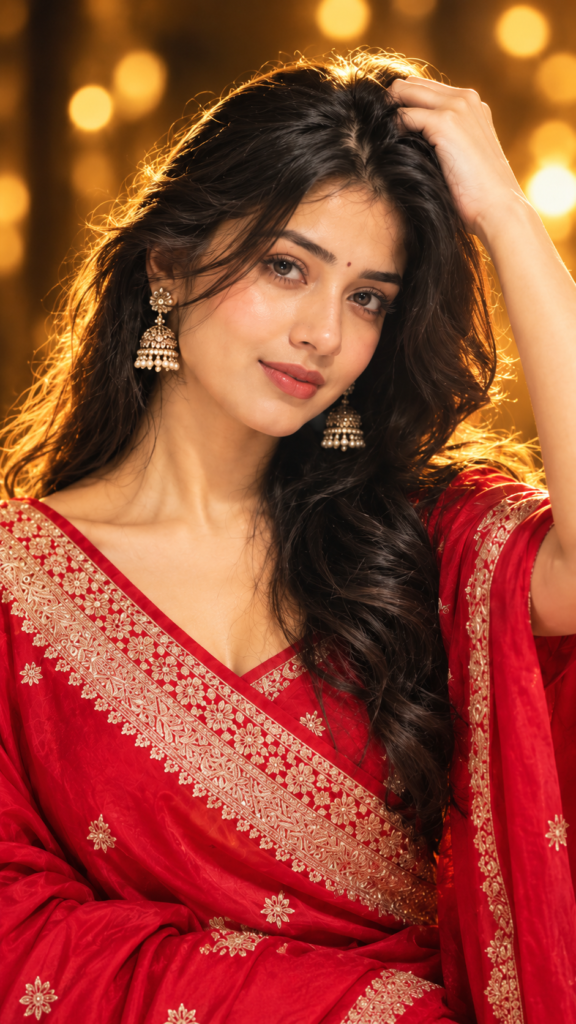
Traditional styling. A saree, ethnic jewellery and natural makeup form the foundation of the look. Details are important, so the fabric texture and jewellery should appear realistic.
Natural movement. Gentle hair movement, small head turns and subtle body motion make the subject appear alive without looking artificial.
Warm cinematic lighting. Golden light across the face and background creates a dreamy, movie-like atmosphere.
Glowing stars and particles. A few soft sparkles floating through the scene can add a magical touch. Keep them subtle, because too many effects can reduce realism.
Music and Cultural Synergy
Visuals are only one part of the experience. Music strongly influences how the video feels.
Folk music carries warmth, memories and emotion. When it is combined with a modern AI aesthetic video, the contrast becomes interesting. The visuals feel futuristic and new, while the sound remains familiar and rooted in tradition.
This is why audio such as “Chalre Chalre Waal” works well with this style. Its folk character naturally complements traditional clothing and slow, graceful movements. The viewer can connect emotionally with the video before thinking about the technology behind it.
Remember, the audio should complement the video rather than be copied into it. Use music through the platform’s available library and avoid adding or displaying lyrics unless you have the necessary rights.
Why This Type of AI Video Is Going Viral
Several elements come together to make this trend popular.
- Realistic visuals. Modern AI tools can produce faces, skin and fabric that appear surprisingly natural.
- Traditional styling. Sarees and ethnic jewellery create an immediate connection with Indian audiences.
- Emotional music. Folk sounds create a mood that people naturally want to share.
- Cinematic effects. The colour transition and warm lighting give the video a movie-like appearance.
- Personalisation. People enjoy seeing themselves, their sisters or their friends transformed into beautiful cinematic scenes.
- Nostalgia. The black-and-white opening can remind viewers of old family photographs.
- Shareability. Short, beautiful and emotional clips work especially well for Reels, Shorts and WhatsApp Status.
Together, these elements have helped make this a strong viral Instagram AI trend.
How to Create This Trending AI Video
You do not need advanced editing skills. Follow these steps.
- Choose a clear portrait. Select a front-facing photo with good lighting. The face should be sharp, with the eyes and hair clearly visible.
- Create the traditional aesthetic. If your photo shows modern clothing, use an AI image tool to add a saree and ethnic jewellery while keeping the person’s face unchanged.
- Turn the photo into an AI video. Upload the image to an AI photo-to-video tool and enter your prompt.
- Add natural movement. Ask for gentle blinking, subtle head movement, flowing hair and slight fabric motion. Avoid large or fast movements.
- Create the black-and-white to colour transition. Describe a monochrome beginning that gradually changes into warm colours in your prompt. You can also create this effect later in a video editor.
- Add subtle glowing effects. Add a small number of soft stars or particles and keep them understated.
- Add suitable audio. Choose licensed or platform-provided music through Instagram or your editing application.
- Export in 9:16. Use a vertical format so the video fills the screen properly on Reels.
AI Video Editing Template
Tips to Get Better and More Realistic AI Video Results
- Start with a high-quality image. A sharp, well-lit photograph generally produces better results than a blurry one.
- Maintain facial consistency. Use a clear, straight-on portrait and avoid images with heavy filters.
- Pay attention to lighting. Soft and even lighting usually works better. Strong shadows can make AI processing more difficult.
- Request subtle movement. Slow and natural motion generally looks more realistic than dramatic movement.
- Keep clothing and jewellery simple. Extremely complex patterns can flicker. A clean saree design with one or two jewellery pieces can work better.
- Upscale the finished video. If your chosen tool provides an enhancement option, use it after generating the video.
- Try multiple generations. Even small changes to the prompt can produce noticeably different results.
Common Problems and How to Fix Them
The face keeps changing. Use a sharper front-facing photograph and include instructions such as “keep the same face and features.”
Hands become distorted. Select an image where the hands are outside the frame, hidden, or crop the image to the head and shoulders.
Jewellery flickers. Reduce the amount of jewellery and request “stable, consistent jewellery.”
The clothing changes during the video. Clearly mention the saree colour and style and keep the generated clip relatively short.
Hair movement looks unnatural. Use phrases such as “soft breeze” and “gentle flowing hair” instead of describing strong wind.
The output is blurry. Start with a higher-resolution source image and use an available sharpening or upscaling feature.
There are too many effects. Reduce the stars, glow and colour effects. A restrained look usually feels more realistic.
Why Folk Music and AI Aesthetics Work Together
Folk music is a living part of culture. It carries stories, emotions and traditions that have been passed from one generation to another. AI visuals, meanwhile, represent a modern and rapidly changing form of creativity.
When these two elements meet, younger audiences get a fresh way to experience traditional beauty. A saree, a piece of jewellery or a folk tune can reach people who might not normally search for this type of content.
Respect is important, however. Give appropriate credit to the music where possible, avoid misrepresenting cultures or traditional clothing, and treat cultural styles thoughtfully. When approached responsibly, this trend can celebrate culture rather than simply use it as an aesthetic.
More Trending AI Prompts on Jeinza
If you enjoyed this trend, there is plenty more to explore. Jeinza is a place to discover AI photo editing prompts, AI video prompts, cinematic portrait prompts and trending social-media AI editing ideas.
New trends appear on Instagram almost every week. At Jeinza, you can discover easy, copy-and-paste prompts that help you try these trends quickly and confidently.
Frequently Asked Questions (FAQ)
What is the viral AI folk music video trend?
It is a trend where an ordinary portrait is transformed into a cinematic video featuring traditional clothing, ethnic jewellery, a black-and-white-to-colour transition, warm lighting and folk-style music.
Can I create this AI video using a normal photo?
Yes. A clear, well-lit portrait is usually enough. You can then use an AI tool and an appropriate prompt to add the saree, jewellery, movement and visual effects.
How do I make AI-generated videos look realistic?
Use a sharp source image, keep movements gentle, describe the lighting clearly and avoid excessive effects. Creating several versions can also help you find a better result.
What aspect ratio is best for Instagram Reels?
The recommended format is vertical 9:16, which is designed to fill the phone screen.
What type of photo gives the best AI video results?
A front-facing, high-resolution portrait with soft lighting, a clear face and visible hair generally works best. Avoid blurry, dark or heavily edited photographs.
Where can I find more trending AI editing prompts?
You can find AI photo and video editing prompts, cinematic portrait prompts and other trending ideas on Jeinza.
Can I use any song for this AI video?
Use audio that is licensed or available through your platform’s music library. Always follow the applicable platform rules.
Conclusion
The combination of AI visuals and traditional-inspired aesthetics shows how technology can add a new layer of creativity to cultural beauty. With one photograph, a thoughtful prompt and suitable folk-style audio, almost anyone can create a video that feels emotional and cinematic.
Keep the effects subtle, respect the traditions you showcase and focus on realism. These details can make the final video feel much more natural.
Ready to explore more? Visit Jeinza for AI photo and video editing prompts, cinematic ideas and trending AI content-creation techniques.
