

Introduction
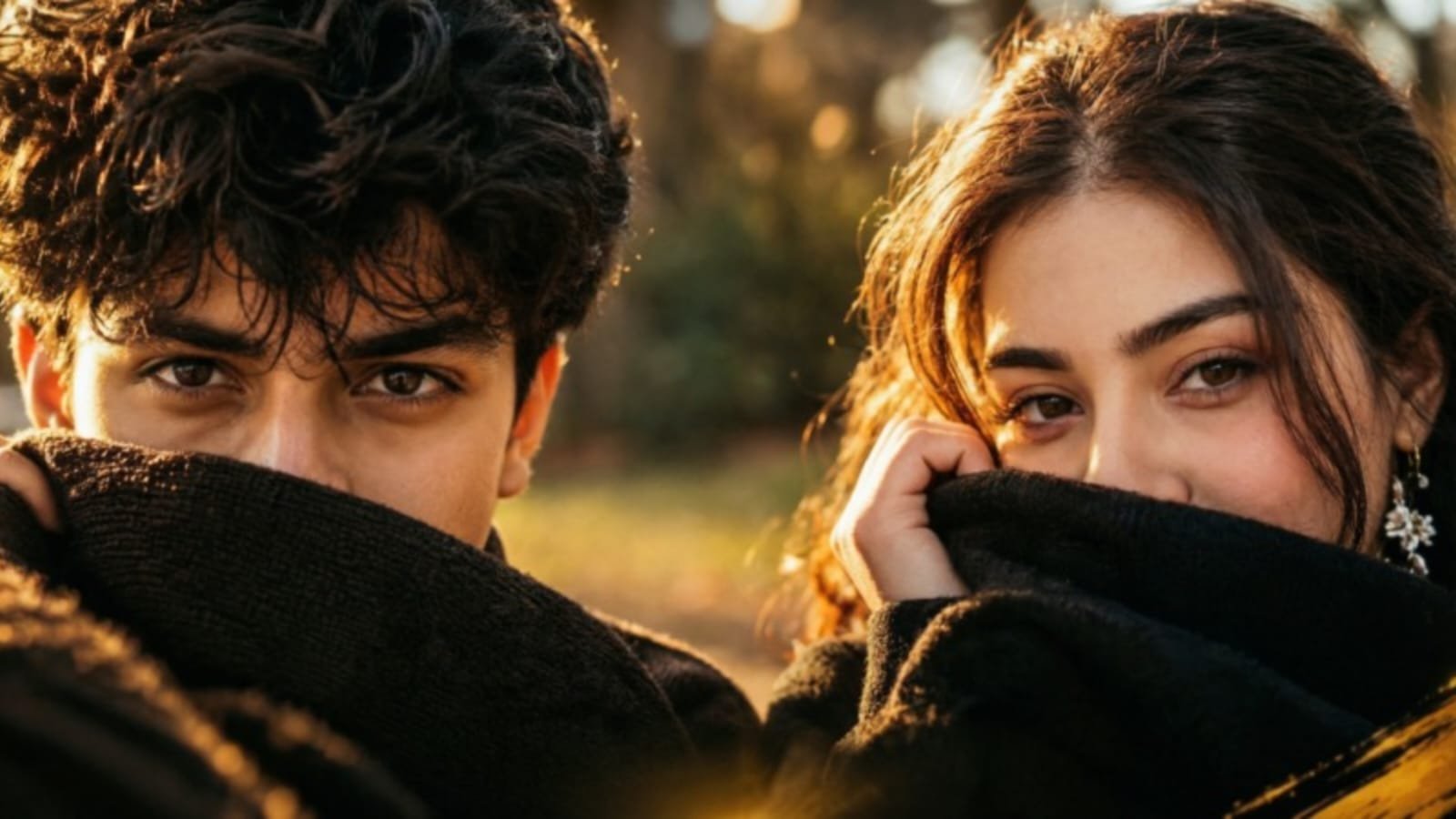
These kinds of AI cinematic photography trends are all over social media these days. This trend features a close-up of your face with your eyes in focus and writing across the image that says “Chalre Chalre Waal (Chalrey Chalrey Waal).”
Both boys and girls can recreate this kind of photo by using their own selfie. In this article, the Jeinza platform provides proper prompts for both boys and girls to recreate the image, along with some tips, techniques, and common mistakes to avoid while creating an AI-generated photo with Jeinza.
What is the Chalre Chalre Waal AI Photo Trend?
This Chalrey Chalrey Waal AI photo trend is an extreme cinematic close-up shot of the face where golden dreamy light highlights the face, while half of the face is covered with a black scarf or sweater. The lower part of the face is hidden up to the nose area, while the upper part of the face, especially the eyes, gets more focus in the portrait generated by an AI platform like Jeinza.
Here are some points that define the look:
- Beautiful eyes with a strong expression that attracts attention.
- The eyes look straight at the camera with confidence.
- Orange-golden lighting combined with a dreamy effect.
- A dramatic cinematic look.
- A vertical frame made for Instagram Reels, Stories, and photos with a 9:16 ratio.
- Realistic skin texture and visible pores for a natural appearance.
- Messy, wavy hair falling across the forehead.
- Warm lighting for a cinematic effect.
- A quote is written across the lower part of the frame that says “Chalre Chalre Waal.”
Chalre Chalre Waal AI Photo Trend for Boys
To create a similar photo using your selfie, upload a clear photo with good visibility of your face for better reference and paste the prompt mentioned below into Jeinza.
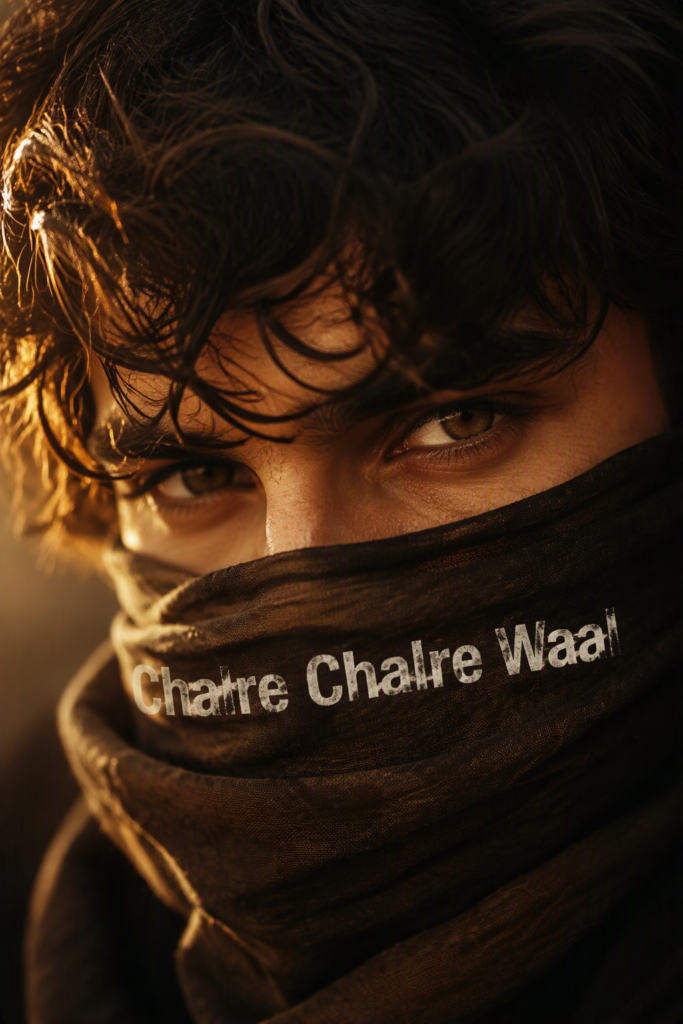
An extreme cinematic close-up shot of a young and handsome man where the upper part of the face, including the forehead, is partially covered with messy and wavy hair that looks attractive and natural because of his masculine facial features. The skin pores and facial texture should look highly realistic and natural.
Use warm golden light, strong golden rim lighting through individual hair strands, an orange-bronze skin tone, deep cinematic shadows, dark brown and amber color grading, shallow depth of field, an 85mm f/1.4 photographic look, subtle film grain, and premium photorealistic quality.
Use a vertical 9:16 composition. Add bold white text written across the scarf around the nose area saying “Chalre Chalre Waal.”
Chalre Chalre Waal AI Photo Trend for Girls
The girl version of this trend can also create the same cinematic photo with soft lighting, natural makeup, and a minimal hairstyle. Avoid excessive beauty filters and overly smooth skin to maintain a realistic appearance.
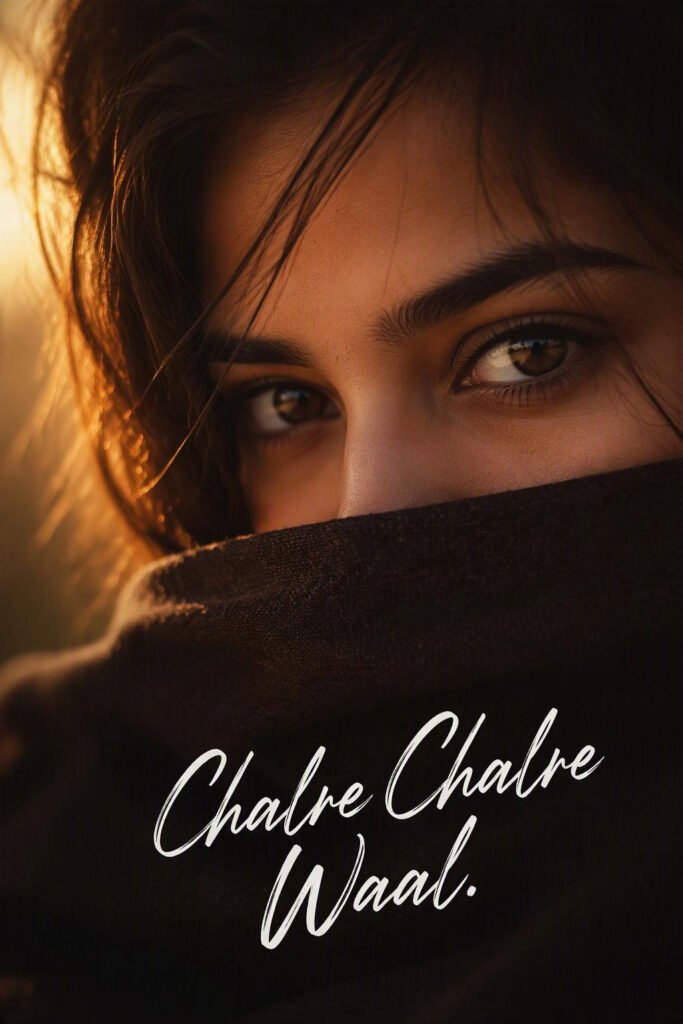
A beautiful cinematic close-up portrait of a young woman showing half of her face, with the lower part of the face covered by a scarf to directly focus on the eyes. The AI should preserve the facial structure and facial features from the uploaded reference photo and create an ultra-realistic portrait.
Use natural dark brown or black hair falling softly across the forehead and around the eyes, with golden rim lighting passing through individual hair strands.
The girl’s expressive dark brown eyes look directly toward the camera with a realistic effect and a soft but confident expression. Keep the facial structure natural, with visible skin pores and realistic skin texture, along with soft, subtle, and natural makeup. Avoid heavy makeup, excessive beauty filters, and overly smooth, plastic-looking skin.
Hide the lower half of the face behind a dark scarf, with the sweater or scarf coming up to the nose area.
Use warm golden light with an orange-bronze tone, dark brown cinematic grading, deep shadows, shallow depth of field, and an 85mm f/1.4 photographic look.
Use a vertical 9:16 composition and add bold white writing in the lower part of the portrait saying “Chalre Chalre Waal (Chalrey Chalrey Waal).”
How to Create Trending AI Photos
- Select a good and clear photo for an accurate representation of your facial structure and features.
- Regenerate the image if something looks incorrect in the AI-generated photo.
- Copy and paste the prompt into the AI prompt box.
- Upload an image with good lighting and clear facial visibility.
- Copy the correct prompt for generating the desired photo.
- Select a selfie where you look natural.
- Generate the image.
If you don’t get a perfect result on your first attempt, try generating the image multiple times. AI tools sometimes fail to preserve facial features accurately because of technical limitations.
Tips to Get Better and More Realistic AI Images
- Use a clear photo taken in natural sunlight for better results.
- Don’t use blurry or extremely dark images because the AI may have difficulty recognizing your facial features.
- Avoid photos with heavy makeup that can alter the appearance of your original facial structure and features.
- Use a 9:16 frame for social media photos.
- Avoid uploading heavily filtered photos.
- Generate another version if the first result doesn’t look natural.
Common Problems and How to Fix Them
AI-generated images may sometimes contain spelling mistakes or incorrectly interpreted instructions, so carefully review the prompt before generating the image.
- Face looks different: Add an instruction such as, “Preserve the accurate facial features and facial structure of the person from the reference image.”
- Spelling mistakes: Thoroughly check the text in the prompt before generating the image.
- Skin looks artificial: Add, “Keep the skin natural with visible pores and minimal makeup.”
- Photo looks too yellow: Modify the prompt by asking for “soft golden-hour lighting” instead of excessive yellow lighting.
- Incorrect framing: Clearly specify the 9:16 aspect ratio for proper framing.
- Hair looks unnatural: Ask the AI to create natural, realistic, slightly wavy hair with individual strands.
Why This Photo Trend Works for Both Boys and Girls
- Direct eye contact makes the image more attractive.
- The black scarf creates a mysterious and cinematic appearance.
- The text in the lower portion of the photo adds a recognizable element to the trend.
- Messy and wavy hair creates a soft and stylish appearance.
- Golden rim lighting gives the image a dreamy and natural cinematic look.
The boys’ and girls’ prompts only have a few differences, mainly involving hairstyle, makeup, and facial styling. This means anyone can recreate the trend using their own face.
More AI Photo Editing Prompts on Jeinza
Jeinza is an AI photo-generation platform where you can explore different kinds of images using detailed prompts. You can use these prompts to experiment with realistic AI photos, cinematic portraits, and other trending social media image styles.
If you like this photo trend, explore other trending AI photo prompts and create your own images using Jeinza.
Frequently Asked Questions (FAQs)
What is the Chalre Chalre Waal trend?
It is an AI photo trend that creates a cinematic close-up portrait with a strong focus on the eyes and realistic facial details.
Can I use my own photo for this trend?
Yes, you can use your own selfie as a reference image and create your own portrait using the trend prompt.
Is there a separate prompt for boys and girls?
Yes. This article includes separate prompts for boys and girls so you can create the desired version of the image.
Why does AI change my face after uploading the photo?
AI tools may sometimes make small changes to facial features because of limitations in processing and interpreting the reference image.
Can I change the text in this AI photo prompt?
Yes. If you want to make changes to the image, you can add your preferred text and other instructions along with the main prompt.
What is the best ratio for this AI photo?
A 9:16 aspect ratio is recommended because it works well for Instagram Reels, Stories, and other vertical social media content.
Conclusion
Boys and girls can both try the “Chalre Chalre Waal” AI photo trend using the prompts mentioned in this article. However, you may face some issues while creating the images because AI tools sometimes fail to preserve all of your facial features and structure accurately.
If the first result doesn’t look right, try generating the image again with a clearer reference photo or slightly improved instructions. After a few attempts, you may get a more natural and realistic result.
You can also explore other trending AI photo prompts on Jeinza and experiment with different cinematic styles for your own social media images.
