
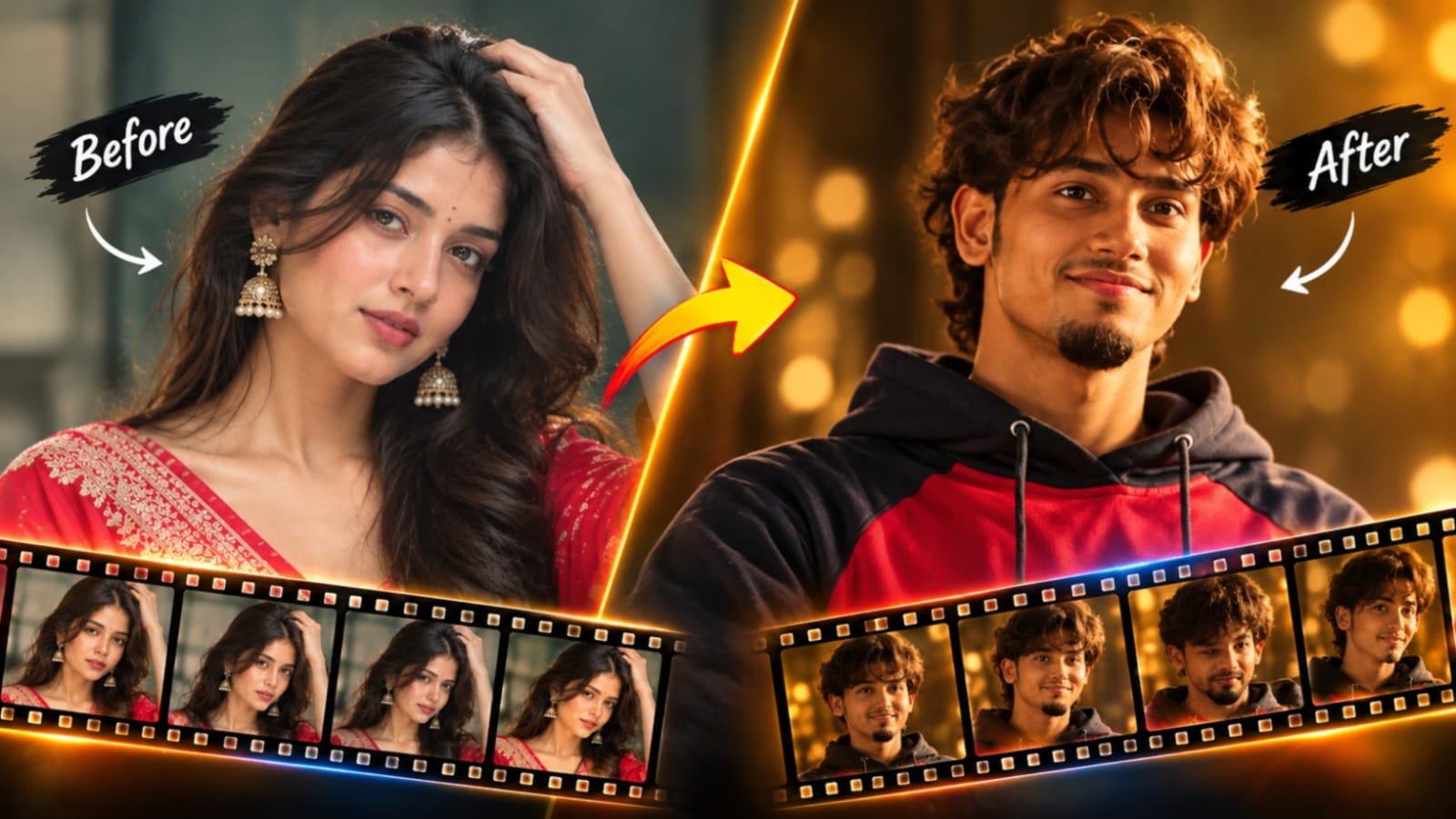

Google Flow AI video creation is becoming a popular way to make cinematic and trending short videos with the help of a simple prompt.
If you have been scrolling through Instagram Reels or YouTube Shorts recently, you may have noticed smooth and cinematic AI videos that look like they were created by a professional studio. Many of these videos can be made using just one detailed prompt.
At Jeinza, we enjoy exploring these kinds of trends because they show how easy AI video creation is becoming. You don’t need a camera, advanced editing software, or a full team to create a good video. All you need is a creative idea and a clear prompt.
In this article, I’ll explain what this trend is about, how Google Flow works, and how you can create a similar video yourself.
Related Article: Chalre Chalre Waal Viral AI photo editing for boys and girls
What Is This Trending AI Video?
This trend is mainly about short AI-generated videos that have a cinematic and professional look. The visuals are smooth, the lighting looks dramatic, and the entire clip is created using text prompts instead of real footage.
People enjoy sharing these videos because they can catch the viewer’s attention within the first few seconds. This is especially important when creating content for social media platforms.
The best part is that the process is quite simple. You write a detailed prompt, generate the video, and make a few edits if needed.
What Is Google Flow?
Google Flow is an AI filmmaking tool developed by Google. It allows users to create video clips from text descriptions and provides a creative workspace where they can experiment with different ideas.
You simply describe the scene you want to create, and Flow generates a video based on your prompt. You can also try different versions until you get a result that matches your idea.
For creators who want to make short videos for social media, this can be a useful way to get started without complicated editing.
However, its features, availability, and usage limits may change over time. So, it is always a good idea to check Google’s official website for the latest information.
Why Is This Trend Going Viral?
There are several reasons why this type of AI video is becoming popular.
It looks professional. Cinematic camera movements, lighting, and visual effects can make a simple video look more polished.
It is easy to try. You can start creating your own video with a single prompt, even if you don’t have much experience with video editing.
It works well on social media. Short videos are suitable for Instagram Reels, YouTube Shorts, and other similar platforms.
It feels different and creative. AI can create scenes that may be difficult, expensive, or impossible to record with a normal camera.
Since the process is simple and the results can look impressive, more creators are trying this trend and sharing their own versions online.
What You Need Before You Start
Before creating your video, make sure you have a few basic things ready:
- A Google account with access to Google Flow
- The video prompt, which you can use in the next section
- Some patience, as the first result may not be exactly what you expected
- A basic video editing app if you want to add music, captions, or other effects later
That’s all you need to get started. There is no need to invest in an expensive camera or a professional editing setup.
Google Flow AI Video Prompt
Below is the prompt you can use to create a video in this style. Copy it into Google Flow to get started, and then make small changes if you want to try a different look.
Use my uploaded image as the identity reference for the main male character. Replace only the primary male protagonist in the reference video with my character, while keeping every other element of the original video exactly unchanged.
Identity Preservation: Maintain my exact identity consistently throughout the entire video, including my facial features, face shape, skin tone, hairstyle, hairline, body proportions, and overall appearance. Ensure I remain clearly recognizable as the same person in every shot, including close-ups, medium shots, side angles, profile views, motion shots, and different lighting conditions. Do not alter, reinterpret, or stylize my identity.
Performance and Movement: Match the original protagonist’s performance precisely. Preserve all original body movements, walking, standing, sitting, hand gestures, head movements, eye direction, facial expressions, posture, interactions, timing, and blocking. Do not add, remove, or modify any action or movement.
Clothing and Styling: Preserve the original protagonist’s clothing, outfit colors, fabric appearance, fit, accessories, and overall styling exactly as shown in the reference video, except for details naturally hidden by the character replacement. Do not redesign or modify the outfit.
Original Video and Visual Consistency: Preserve the original video completely, including camera angles, camera movements, lens perspective, framing, composition, depth of field, focus changes, lighting, shadows, color grading, tones, background, classroom or school environment, furniture, and overall atmosphere. Do not change the original tones, colors, or visual style in any way.
Other Characters: Keep all other people in the video completely unchanged. Do not replace, modify, regenerate, retouch, or alter the female character or any background characters. Preserve their original faces, identities, movements, expressions, clothing, positions, and interactions.
Realistic Integration: Ensure my character occupies the exact same position and physical space as the original male protagonist, with accurate body scale, perspective, lighting, shadows, depth, and occlusion. Maintain natural interactions whenever characters overlap. The replacement must blend seamlessly into the original footage, as though the video was originally filmed with me as the protagonist, rather than appearing as an AI-generated face pasted onto existing footage.
Strict Preservation Requirements: Do not change my identity, facial structure, hairstyle, hairline, skin tone, age, body proportions, or appearance. Avoid facial distortion, identity drift, face morphing, inconsistent features between frames, extra fingers, extra limbs, unnatural anatomy, altered expressions, modified actions, timing inconsistencies, new camera movements, changes to other characters, background alterations, scene modifications, color shifts, tone changes, or additional visual effects.
Final Objective: Replace only the original male protagonist with my identity while preserving every other aspect of the reference video exactly as it is. The final output must maintain the original performance, visual tones, color grading, scene composition, and cinematic continuity, with a realistic and consistent identity replacement across every frame.
How to Create the Video in Google Flow
Follow these simple steps to create your own AI video.
Step 1: Open Google Flow: Visit Google Flow and sign in with your Google account. Once you have access, start a new project.
Step 2: Select the video generation option: Choose the available option for generating a video from a text prompt.
Step 3: Enter the prompt: Copy the prompt from the section above and paste it into the prompt box. Make sure the text is complete before continuing.
Step 4: Generate your video: Start the generation process and wait for the result. Depending on the tool and current availability, it may take some time to finish.
Step 5: Check the generated clip: Watch your video and look at the camera movement, lighting, visual details, and overall style. See whether the result matches your original idea.
Step 6: Try generating another version: If the first result is not good enough, try generating the video again. You can also make a few small changes to the prompt to improve the output.
Step 7: Download and edit the video: Once you are happy with the result, export or download the clip if the available options allow it. You can then use your favourite editing app to add music, captions, or simple transitions.
Tips for Getting Better Results
If you want to create better AI videos, a few simple tips can make the process easier.
Generate multiple versions. Don’t depend only on the first result. The same prompt may produce different outputs, so compare a few versions and select the one you like most.
Make small changes to the prompt. Try changing one detail at a time, such as the lighting, background, or camera movement. This makes it easier to understand which changes improve the video.
Keep the clip short. Short videos are generally easier to manage and work well for platforms like Reels and Shorts.
Add sound after generating the video. Background music, sound effects, or a short voiceover can make your final video more interesting. Make sure you have the right to use any music you add.
Pay attention to the opening seconds. The beginning of your video should catch the viewer’s attention. If the opening feels too slow, consider trimming the clip during editing.
Common Mistakes to Avoid
When creating AI videos for the first time, beginners can make a few common mistakes.
Changing the prompt too much. If you change too many details at once, it can become difficult to understand what works best. Start with your original idea and make adjustments gradually.
Stopping after the first attempt. AI-generated videos may not always look perfect on the first try. Testing different versions can help you get a better result.
Ignoring the video format. A clip that looks good on a computer screen may not fit properly on a mobile screen. Check the aspect ratio before posting it on your chosen platform.
Uploading without reviewing the video. Always watch the complete clip before sharing it. Look for unusual movements, visual glitches, or details that do not look right.
Copying another creator’s work exactly. It is fine to take inspiration from a trend, but try to add your own ideas and make the final video different from others.
How to Make Your Video Stand Out
Since many creators are trying similar AI video styles, it can be difficult to make your content look unique.
You can start by experimenting with different captions, background music, camera angles, or visual details. Adding a short text hook at the beginning can also help introduce your video and encourage people to keep watching.
Once you understand how the prompt works, try changing a few parts of the scene to create something that matches your own style.
The goal is not just to recreate a trending video but to use the idea as a starting point for your own creativity.
A Quick Note on Responsible Use
AI video creation can be fun and useful, but it is important to use these tools responsibly.
Avoid creating videos that could mislead people or imitate real individuals in a harmful way or without appropriate permission. If a social media platform requires you to label AI-generated content, make sure you follow its rules.
Also, keep in mind that AI tools are updated regularly. Their features, access requirements, and results may change, so check Google’s official updates whenever necessary.
Final Verdit
Creating trending AI videos is becoming easier, and Google Flow is one of the tools that can help people explore this creative process. With a clear prompt and a little experimentation, you can generate cinematic clips for your social media accounts.
Start with the prompt, try a few different versions, and make small edits until you get a result you like. With practice, you will get a better understanding of how to create videos that match your ideas.
For more AI photo ideas, video prompts, and simple tutorials, keep visiting Jeinza. We’ll continue sharing useful tips and creative trends to help you get started with AI tools.
