
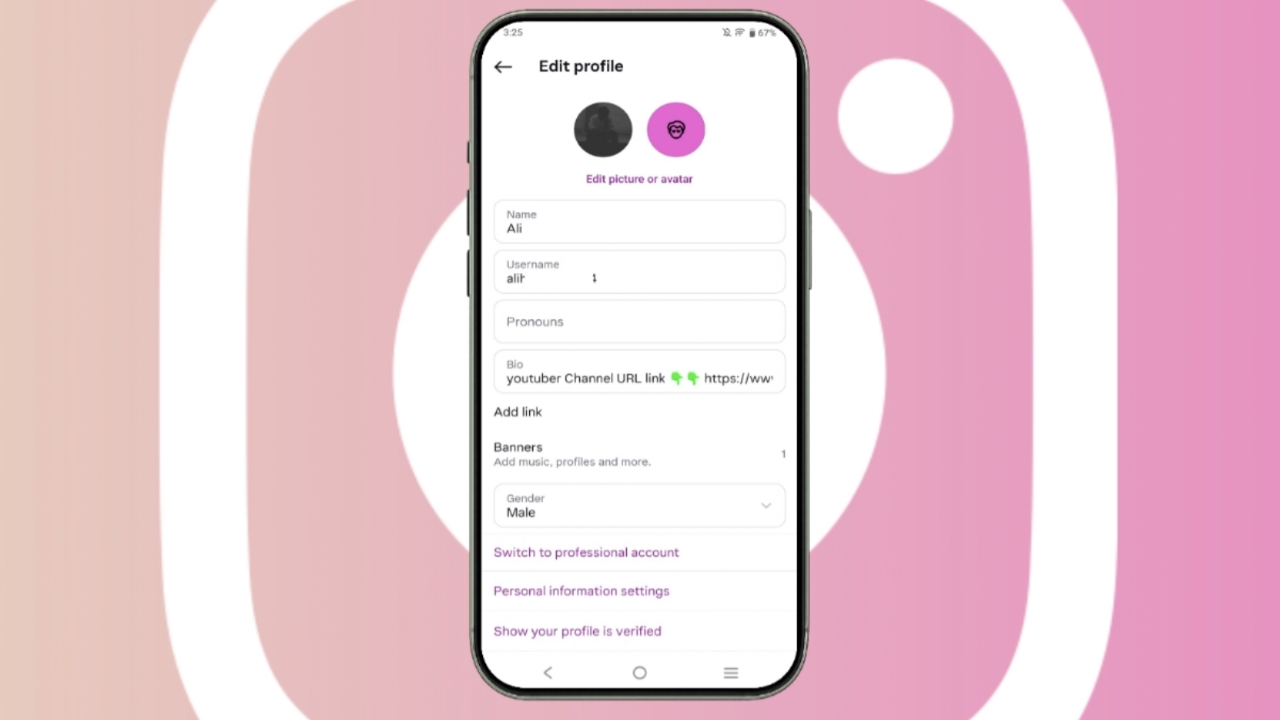

Instagram Business profiles offer better tools for audience growth today. The complete switching process takes only several minutes that everyone can follow easily.
Key Takeaways:
- Business accounts provide analytics and advertising tools freely.
- Professional accounts always become public after successful conversion.
- Facebook Pages help unlock advanced Instagram business features.
Benefits of Converting Personal IG Account to a Business Account
Instagram currently offers three profile types for all users. These profile types include Personal, Business, and Creator accounts. Instagram automatically assigns a Personal profile to new users.
Professional accounts provide several advanced features for business owners. Users can track account performance using Instagram Insights analytics tools.
Insights help businesses understand followers and audience behavior clearly. Users can also manage comments and messages much faster. Professional accounts allow businesses to run advertisements on Instagram.
These advertisements help brands reach larger global audiences effectively. Businesses can also promote products and services very easily.
Two professional account options remain available for Instagram users. Business accounts suit retailers, organizations, and service providers perfectly.
Creator accounts suit influencers, artists, and content creators better. Professional accounts improve social media visibility for growing businesses.
Anyone can follow these public accounts without restrictions today. Everyone can also view followers and following lists publicly.
Instagram photos, videos, and stories appear inside search results. Other users may remix and share your posted videos freely. Users can also embed Instagram content outside the application.
Requirements
First, users should check their current Instagram account type carefully. Personal profiles display “Account types and tools” inside settings.
Creator profiles display “Creator tools and controls” within settings. Business profiles display “Business tools and controls” in settings sections.
A Facebook Page helps unlock advanced Instagram business features completely. Users also need proper Facebook Page permissions before switching accounts.
Full or partial Page control permissions remain extremely important today. Business Manager management access may also remain necessary sometimes.
Professional accounts automatically become public after successful profile conversion. Private accounts cannot remain private after switching professionally today.
Professional accounts also connect with Meta Business Portfolio automatically. Users can skip Facebook connection during setup if preferred.
However, linking Facebook accounts provides additional business management benefits. Businesses can cross-post content across both platforms very easily. Users can also manage messages through Meta Business Suite.
Exact Steps to Perform
The complete conversion process takes around five minutes maximum usually. Everything happens directly inside the Instagram mobile application today.
Follow these simple steps carefully for successful account conversion:
- Open Instagram and log into your account.
- Tap the three horizontal lines menu icon.
- Open “Settings and activity” from available options.
- Scroll toward the “For Professionals” section carefully.
- Tap “Account Type and Tools” inside settings.
- Select “Switch to professional account” for continuing.
- Tap “Next” after reading the feature benefits carefully.
- Search and choose your suitable business category.
- Select Business or Creator account for switching.
- Tap “Next” to continue the setup process.
- Choose promotional email preferences from Instagram notifications.
- Add your important business contact information carefully.
- Connect your Facebook Business Page if preferred.
- Tap “Skip” if connecting Facebook later instead.
The End Note
Professional profiles make account management much more effective. The switching process remains simple for worldwide Instagram users.
Facebook connection also unlocks several advanced business management features.
